Implementing online PTA payment solutions can help increase your efficiency and community involvement, save time for volunteers, make payments more secure, and eliminate complicated reporting. Bonus: You can collect payments and create forms online, both under the same account, for free. Need more convincing? Here, we detail 10 ways a PTA payment system makes life easier for your board and school community.
PTA Payment Solutions Save Time
1. Track all payments automatically.
You read that right — no more data entry! The paper trail is always there, online, stored in the same safe, secure dashboard as your payments. If you choose to accept cash and checks in addition to online payments, you will have to enter that information, but we count it!
2. Deposit directly into your PTA’s bank account.
Eliminate extra trips to the bank: It’s free to transfer funds directly to your organization’s bank account. Need funds to go to different places? Add multiple bank accounts, no problem. Talk about an end-to-end PTA payment solution.
3
3. Automate follow-up reminders for payments and forms.
4
4. Simplify after-school enrichment registration.
Turn enrichment coordinators’ files of paper forms, check payments, class rosters and spreadsheets into one online dashboard. You can set up your registration page to include detailed class descriptions, recurring payments, and class sizes. Cheddar Up can even automate your monthly payment reminders!
5
5. Create a One-Stop Shop for your PTA.
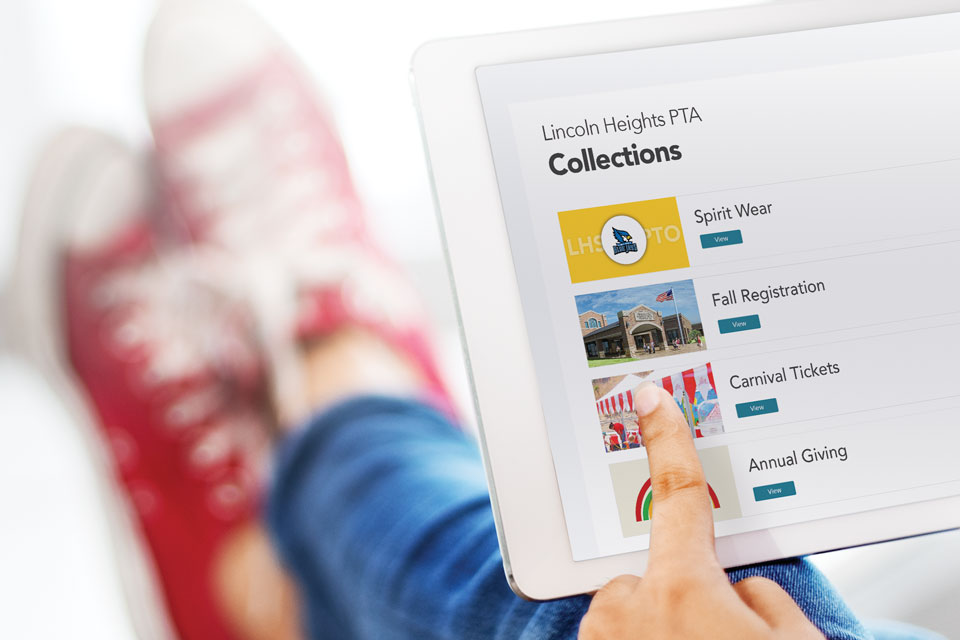
Parents will love the simplicity of one webpage for all their PTA needs. We call it a Group Page. At a minimal cost, you can have one consistent URL that lists all your active collections, like PTA membership, class donations, and spirit wear. This is an exclusive feature you won’t find on other PTA payment solutions. Plus, an extra layer of convenience: Anyone can pay on your page without creating an account. Send out your custom link or QR code and they can pay immediately, no signup pop-ups in between.
6
6. Manage events efficiently.
A happy byproduct of our payments + forms power duo is easy event planning. Cheddar Up rocks any program’s 3Ms — marketing, money, and management. Easily solicit donations and sell tickets online and in-person, with every sale automatically recorded. Recruit volunteers and have all your party details, including available budget, in one spot. Free event template and tutorial
“Cheddar Up’s ease and flexibility is just what our chapter needed. We use it for all types of collecting — from member dues to major events with hundreds of participants. The platform’s design is simple and intuitive, which is important to me.”
Make more money with PTA payment solutions
7
7. Accept in-person credit-card payments.
And you may see an increase in both profit and participation. Cheddar Up’s mobile apps plus Bluetooth card readers offer full point-of-sale functionality — which sets us apart from other PTA payment solutions. You can seamlessly transition between taking advance online payments and accepting day-of, in-person payments, and they’ll all be sorted and recorded in the same spot, no additional effort from you.
More on point-of-sale →
8
8. Collect more fundraiser donations.
Whatever your favorite fundraiser, Cheddar Up’s PTA payment solutions can help. Cheddar Up fundraising pages are clean, easy-to-read, and visual: You can add photos for intrigue (like this beautiful plant sale) as well as a fundraising goal, which shows your page visitors how much more you need.
Create a fundraising page
Increase PTA membership and retention
9
9. Boost PTA or PTO membership with online payments.
It’s the sheer convenience, friends. An online PTA payment solution encourages prompt, easy payments. You can still use the same form you’ve used for years — simply recreate it online with the Cheddar Up form builder. Plus, online you can make form questions required, no more blank lines!
See a membership example
10
10. Get your new PTA board “on board” quickly.
Ready to pass the PTA torch to the new President? Handoff to new board members is an absolute cinch with Cheddar Up. In just seconds, you can duplicate and update your collections to use year after year. Your account remains as-is, but you can add an unlimited number of managers and set specific permissions for each.
Frequently Asked Questions
Can a PTA use Venmo or Zelle to collect payments?
PTAs should not use personal Venmo or Zelle accounts to collect group payments. Personal accounts are designed for individuals, their terms generally prohibit organizational use, and funds land in one person’s name with no payment tracking or reporting. A dedicated PTA payment system like Cheddar Up deposits directly into the PTA’s bank account and records every payment automatically.
What is the best way for a PTA to collect payments online?
The best way for a PTA to collect payments online is a platform built for group payments, not a personal payment app. Look for four things: automatic payment tracking, direct deposit to the organization’s bank account, built-in forms, and payment reminders. Cheddar Up includes all four, and parents can pay without downloading an app or creating an account.
Do parents need an account or app to pay a PTA online?
Parents do not need an account or app to pay a PTA through Cheddar Up. They pay through the PTA’s collection link or QR code in their browser, which removes the biggest friction point in getting busy parents to pay on time.
How much does PTA payment software cost?
PTA payment software ranges from free to a monthly subscription depending on features. Cheddar Up is free to start: PTAs can collect payments and create forms at no cost, with optional paid plans for advanced features like group pages and point-of-sale.
Are online PTA payments secure?
Online PTA payments are secure when collected through a dedicated payments platform. Cheddar Up processes payments through encrypted, PCI-compliant infrastructure, and every transaction is recorded in one dashboard.

Online, Everyone Wins
Cheddar Up’s PTA payment solution makes it easy for parents to pay, and simplifies management for you.
You may also like:

End-of-year banquet planning templates
An end-of-season banquet is the chance to bring everyone together one more time, without the pressure of a practice, game, competition, or performance on the schedule. It’s where teams and groups recognize seniors, hand out awards, thank coaches and volunteers, share favorite moments, and celebrate everything they accomplished together. Sports teams, cheer squads, marching bands, and clubs hold them in the fall, winter, and spring, usually within a few weeks of the season’s end.
This guide covers how to plan an end-of-year or end-of-season banquet step by step, how to sell banquet tickets and collect RSVPs online, and banquet templates that you can customize for your sport or club.

Easy Elementary School Fundraising Ideas Kids Love and Parents Support
Elementary school kids are energetic, playful, and not into anything too complicated, so why should their fundraisers be? The best elementary school fundraising ideas feel like fun for the kids while staying simple for the volunteers who make them happen.
Below are 20 ideas built for elementary schools, grouped by how you want to run them, plus an easy, online way to collect payments.
Elementary school fundraising is different because younger children can be active participants, but they still need adults to take the lead on money, sales, and logistics. The best fundraisers play to both strengths: kids bring the creativity, excitement, and school spirit, while adults keep everything running smoothly.
Take payments, for example. A first grader isn’t going to manage a cash box, make change, or operate a point-of-sale system. Keeping payments with adults (and collecting online when possible) makes it easier to track every dollar, so cash doesn’t get lost in backpacks.
Door-to-door selling can be tricky as well. Young kids need adult supervision, and caregivers may not be comfortable sending them out to sell to strangers. Fundraisers that families can support from home or through a school event tend to make more sense.
So, what can elementary students do? All the fun stuff. They can color posters, run laps, cheer on classmates, perform, create something to sell, or proudly share the fundraiser with family and friends.

Fun Run Fundraiser: How to Plan One, Plus Ideas and Costs
Few fundraisers pull a community together like a fun run. If you are weighing a fun run fundraiser for your school or nonprofit, here is the full run-down (yes, pun intended): how to plan it, what it can raise, theme ideas, and how to collect every dollar you earn. A fun run is a walk or run, often themed, where participants raise money for a school or nonprofit by paying an entry fee or collecting pledges for each lap or mile they complete. The goal is participation over speed, so anyone can join regardless of age or ability.
In schools, a fun run is one of the most common PTA fundraising events because it needs little equipment and gets students, teachers, and families moving together. Nonprofits use the same format to raise funds and awareness for a cause.
You can organize a fun run in six steps. Give yourself at least six to eight weeks so you have time to line up volunteers, promote the event, and accept pledges.

Potluck sign up sheet template + planning tips
You offered to help pull together the potluck. Now you are the one texting a dozen people to find out who is bringing a main dish, and so far the table is shaping up to be all chips and desserts.
A potluck sign up sheet is the fix. Guests open one link and claim a slot, and the sheet sends the reminders so you are not following up all week. Below is a free online version you can grab in a minute, along with a quick setup walkthrough and category ideas for any kind of gathering. Start here. Our free potluck sign up template works for any gathering, from a backyard BBQ to an office lunch to a holiday feast, and you can have it live in about a minute.
It runs as an online potluck sign up sheet, so the whole list lives on one link. You share it once, guests open it on their phones, and everyone sees which dishes are already claimed and which slots are still open. There is no paper sheet to pass around and no file to email back and forth.