The Ultimate Guide to All-in-One Group Payments & Forms
There is a massive difference between collecting money and managing a group. If your current process requires “app-hopping” just to verify who has paid and who has signed, it might be time to rethink your setup.
Discover how an all-in-one group payments and forms platform can totally streamline your process.
You’ll learn how to:
- Simplify: Combine payments, data collection, and eSignatures into one link.
- Organize: The secret to automated bookkeeping and instant audit trails.
- Evaluate: A side-by-side look at how specialized platforms compare to common tools.
- Apply: Real-world examples from successful PTAs, Scouts, HOAs, and sports teams.
From booster club presidents to rookie scout leaders
Consider this guide your secret weapon for trading the manual chaos for a professional, one-link workflow.

Table of Contents
- What Is an All-in-One Group Payments and Forms Platform?
- The Problem with Disconnected Group Payments and Forms
- Why an All-in-One Platform is a Better Alternative
- How Common Tools Stack Up
- Best Use Cases for Group Payments and Forms
- What to Look for in a Group Payments and Forms Platform
- How to Get Started (In Under 10 Minutes)
- Frequently Asked Questions
- Related Resources
What Is an All-in-One Group Payments and Forms Platform?
An all-in-one group payments and forms platform is a centralized online registration software and collection solution. It allows organizers to gather funds, data, and digital signatures in a single, seamless transaction.
Instead of asking participants to visit three different websites, they follow one link. On the backend, the organizer sees a unified dashboard where every dollar is tied to a specific form response and a signed waiver.

The Problem with Disconnected Group Payments & Forms
If you’re like most group organizers, your current system wasn’t really designed. It just sort of… happened.
You needed to collect school fees or club dues, so you grabbed a payment method like Venmo or PayPal. Then someone needed to fill out a form, so you added a Google Form. Then came the waiver. And a spreadsheet to record it all. And reminders, which you sent manually. Every. Single. Time.
The Hidden Cost of Fragmented Tools
When your tools don’t talk to each other, you become the manual connector. This “patchwork” system creates three big problems:
The Reconciliation Nightmare:
Spending hours at your kitchen table matching Venmo timestamps to email timestamps.
The “Leaky Bucket” Participation:
Every time you ask a parent to click a second link or download a third app, you risk losing your participants.
The Compliance Gap:
Storing medical info in one place and waivers in another is a major security risk. If a tool breaks or a link expires, your data is gone.

Bottom Line:
This isn’t just an “admin” problem; it’s a professional one. Disconnected tools make your group look disorganized, which directly hurts your ability to scale and grow.
▶️ Watch: How to unify your payments and forms (and end the chaos) →
Why an All-in-One Platform is a Better Alternative
Switching to an integrated group software solution doesn’t just simplify your tech stack, it transforms the way your group operates. It removes the friction from every step of the process, making it easier for people to participate and for organizers to stay on top of everything.
Here’s what that looks like in practice:
- One Link, Total Completion: A single shared link. A seamless checkout without creating an account or downloading an app. Participants complete the process faster and are far less likely to drop off mid-way.
- Automated Bookkeeping: The second a payment is made, the data is instantly attached to the person’s form response. Everything is secure, exportable, and ready for board meetings, audits, or tax filings.
- Built-in Accountability: Because the payment and waiver are part of the same “flow,” you never have to chase down a missing signature again. If they haven’t signed, they haven’t paid.
- Sustainability for the Next Leader: When it’s time for a treasurer transition or coach swap, you aren’t handing over 15 passwords and a messy spreadsheet. You’re handing over a centralized, professional dashboard.
The Integrated Advantage of All-in-One Group Payments and Forms
How Common Tools Stack Up
Here’s a side-by-side look at how a specialized all-in-one payment tool like Cheddar Up compares to common platforms many organizers use and where those tools fall short.
Feature Comparison Matrix
Why Cheddar Up Beats Venmo, Google Forms, and Jotform for Group Collections
- Venmo: Excellent for quick, person-to-person transfers, but it lacks the ability to collect granular data (such as t-shirt sizes or medical alerts). It also provides limited reporting, which can make the treasurer transition difficult at the end of the year.
- Google Forms: A powerful, free tool for gathering data, but it cannot natively process payments or legally binding esignatures. Using it alongside a payment app means you must manually “match” every form response to every payment notification.
- Jotform: Great for complex data collection, but it often requires a third-party payment integration (like Stripe or Square), adding another layer of cost and account management to your tech stack.
- Cheddar Up: Built specifically for groups that need to collect payments and information in one place. Organizers can create customizable collection pages that accept payments while gathering details through forms, sign-ups, or waivers at the same time
Want to see how easy it is to build a collection? Watch Cheddar Up’s 3-minute Demo Video to see the “All-in-One” workflow in real-time.
Bottom Line:
The “patchwork method” of using multiple free tools often costs more in volunteer time than it saves in fees. A unified workflow system like Cheddar Up acts as the digital gatekeeper, keeping payments, forms, and records organized while ensuring a clean audit trail for your group. For more tips on staying organized and managing your team effectively, explore this guide on volunteer management.
Best Use Cases for Group Payments & Forms
Here’s how different organizations use an integrated registration platform to save time:

For PTA/PTO & School Groups
Modern PTAs are moving away from the “envelope in the backpack” system. Beyond the standard membership drive, here is how top-tier parent organizations use an all-in-one platform to eliminate administrative friction:
- Spirit Wear Pop-Up Shops: Instead of pre-ordering 500 shirts and hoping they sell, use a “Spirit Wear Pre-Sale” collection. Collect sizes and payments upfront, then order exactly what you need.
- Yearbook & Dedication Sales: Streamline the process by allowing parents to upload their dedication text and photos directly to the form when they order their yearbook.
- Classroom Supply Funds: Provide Room Parents with a specific link to collect school supplies, teacher gifts or classroom parties. This keeps “personal” money separate from “school” money, which is essential for audit trails.
- PTA Meeting Coordination: Many parent groups now use simple digital tools to manage meeting RSVPs, agenda feedback, and volunteer roles in advance so meetings run more smoothly. This guide on PTO/PTA meeting sign-up and coordination tools breaks down how groups are streamlining participation.
For Scout Troops (BSA, Girl Scouts, & Independent Clubs)
Scout Leaders are often the most “over-tooled” volunteers. Transitioning to a single platform for the “Troop Year” can save dozens of hours in volunteer time.
- Annual Dues & Registration: Collect national and local dues in one transaction. Include the “Code of Conduct” and “Photo Release” waivers as mandatory eSignatures before the payment can be processed.
- High-Adventure & Campout Fees: Create a unique collection for every trip. Collect the fee, the “Activity Consent” form, and critical medical info (allergies, emergency contacts) in one go.
- Product Sales (Cookies, Popcorn, Wreaths): Many troops use an all-in-one platform for “Troop-Direct” sales or holiday wreath fundraisers where they need to manage their own local inventory and delivery details.
For Youth Sports Coaches
Youth sports program management tools must have the ability to handle high-frequency, high-dollar transactions and require strict documentation.
- Player Registration: Collect registration fees while gathering medical releases and jersey sizes.
- Tournament Travel Funds: Split the cost of hotels or tournament entry fees. Use the “Internal Tracking” feature to see exactly which families have paid their share.
- Sponsorship Tiers: Create a professional page for local companies to sponsor the team at different levels. Allow them to upload their company logo directly to the form for your banner printing.
For Homeowners Associations (HOAs)
HOAs require transparency and a clear paper trail for legal reasons.
- Recurring Dues & Assessments: Set up automatic billing so homeowners never miss a payment.
- Amenity Access: Manage pool pass distribution or clubhouse rentals. Collect the rental fee and the “Liability Waiver” in a single digital flow.
- Bylaw Acknowledgement: When rules change, send a link to collect digital acknowledgments from every household, ensuring 100% compliance record-keeping.
For Community Clubs & Nonprofits
- Membership Drives: Use recurring payment features for your membership dues to keep your base stable throughout the year.
- Donation Tiers & Goal Meters: Visual goal meters on your collection page increase average gift size by showing donors how close the group is to its target (e.g., “Help us reach $5,000 for the new playground”).

Ready to stop stitching tools together?
Try Cheddar Up. It’s an all-in-one platform that’s fast to set up, simple to use, built for group organizers.
What to Look for in a Group Payment Platform
Not all platforms are created equal.When evaluating an all-in-one group payments and forms solution, look for these five essential features:
Fully Customizable Fields
Look for a form builder that lets you add unlimited fields for t-shirt sizes, emergency info, or volunteer preferences right at checkout.
Compliant eSignatures & Waivers
Ensure your platform captures online waivers with signatures that are fully compliant with the federal ESIGN Act. This ensures your waivers are legally binding.

Recurring Payments
Whether you’re running a membership program or collecting dues, recurring payments are essential. Your platform should support automatic billing on a monthly or annual basis.

Point of Sale (POS) Integration
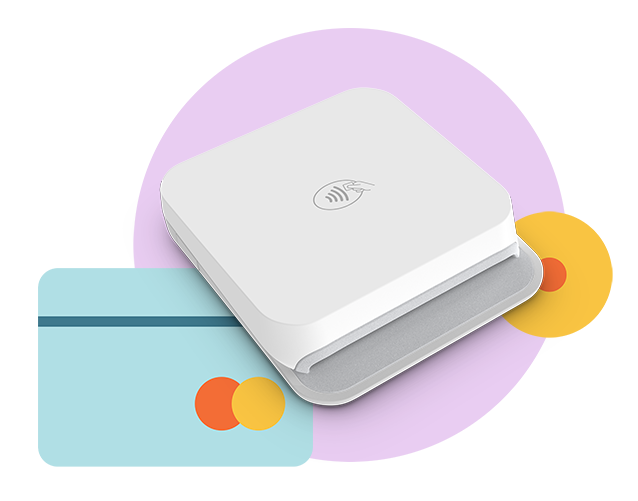
An all-in-one system should offer a mobile app and card reader that syncs in-person sales with your online dashboard instantly.
Multiple Payment Methods
Your checkout must support credit cards, ACH/eChecks, Apple Pay, and Google Pay, and allow you to track “offline” cash and check payments for 100% accurate reporting.
Fully Customizable Fields
Look for a form builder that lets you add unlimited fields for t-shirt sizes, emergency info, or volunteer preferences right at checkout.
Compliant eSignatures & Waivers
Ensure your platform captures online waivers with signatures that are fully compliant with the federal ESIGN Act. This ensures your waivers are legally binding.
Recurring Payments
Whether you’re running a membership program or collecting dues, recurring payments are essential. Your platform should support automatic billing on a monthly or annual basis.
Point of Sale (POS) Integration
An all-in-one system should offer a mobile app and card reader that syncs in-person sales with your online dashboard instantly.
Multiple Payment Methods
Your checkout must support credit cards, ACH/eChecks, Apple Pay, and Google Pay, and allow you to track “offline” cash and check payments for 100% accurate reporting.
Is Your Group Platform Secure?
When handling money and sensitive member data, safety isn’t optional. Before you commit, verify that your platform meets these three industry standards:
- PCI Compliance: The gold standard for ensuring credit card data is handled securely.
- 256-bit Encryption: Protects personal information from unauthorized access.
- 501(c)(3) Credibility: For nonprofits, ensure the platform validates your tax-exempt status. This built-in transparency confirms your organization’s standing and gives donors the confidence to give.
How to Get Started (In Under 10 Minutes)
Getting started with an all-in-one group payments and forms platform like Cheddar Up doesn’t require tech skills, custom code, or a long learning curve. If you’ve ever set up a spreadsheet or shared a link, you’re ready.


Here’s how easy it can be:
Step 1: Set Up Your Collection
Create a custom collection page with:
- Payment items (dues, fees, gear)
- Forms for info collection (contact details, preferences)
- Waivers with eSignatures
Step 2: Share Your Link
Once your collection is live, share it anywhere: email, text, social media, or your website. Participants don’t need to download an app or create an account. They just click and complete.
Step 3: Track & Collect Automatically
Create a custom collection page with:
- Their payments, forms, and signatures are recorded
- Reminders can go out to those who haven’t completed the process
- Reports update in real time and can be exported

Bonus idea:
Want to save even more time? Browse our template library, where you’ll find hundreds of pre-built templates for your group.
What Organizers Are Saying
Still wondering if it’s really that easy? You’re not the only one who’s been surprised by how much time an all-in-one platform can save.

“Cheddar Up makes payment collection easy and efficient for small nonprofits. It saves time, simplifies reporting, and helps us stay organized as we grow.”
Alicia Antonetti-Tricker
Treasurer,
Hamilton County Llamas

“It’s like having a landing page that handles payments, forms, and info without needing a full website. Everything’s in one place, and our volunteers love that.”
Margot Miller
District Commissioner,
Hilltoppers Pony Club

“We collected donations, sold merchandise, and even used exported data to print raffle tickets — all from the same platform.”
Kathy Crusco
State Treasurer,
TXDAR
New to Cheddar Up?
Join one of our Live Learning Sessions! Our experts will walk you through the platform, share best practices for your specific group type, and answer your questions in real time.

Frequently Asked Questions
What is the best all-in-one platform for small nonprofits?
Cheddar Up is a top choice for small nonprofits because it offers dedicated 501(c)(3) features. Key tools include verified nonprofit badges, automated tax-deductible receipts, and detailed financial reporting, features often missing from peer-to-peer payment apps.
Can I use an all-in-one platform for physical item sales?
Yes. Unlike simple payment apps, these platforms include inventory management, allowing you to track stock levels for merchandise, spirit wear, or event tickets.
How do digital waivers hold up legally?
Under the Federal ESIGN Act, digital signatures carry the same legal weight as paper signatures. All-in-one platforms like Cheddar Up ensure compliance by capturing intent, providing secure record-keeping, and linking the signature directly to the participant’s transaction.
Can I collect "offline" payments (Cash/Checks)?
Yes. A professional platform allows you to manually “add” an offline payment to a participant’s record so your digital reporting remains 100% accurate.
Related Resources for Group Management
Thousands of groups, from PTAs to booster clubs, scout troops, HOAs, and nonprofits, have already made the switch to Cheddar Up, the all-in-one group payments and forms platform that simplifies how they collect money, waivers, and information.
Now it’s your turn. Free to start. Built for organizers. Ready when you are.


5 Fundraising Tools for Success
Streamline your fundraising success with 5 essential fundraising tools.


5 Fundraising Tools for Success
Streamline your fundraising success with 5 essential fundraising tools.
Ready to start?
Kick the tires
Create a free account and build a collection to see how easy it is to collect money.
Watch a demo
Join us for one of our live demos and learn from our product experts in real time.