
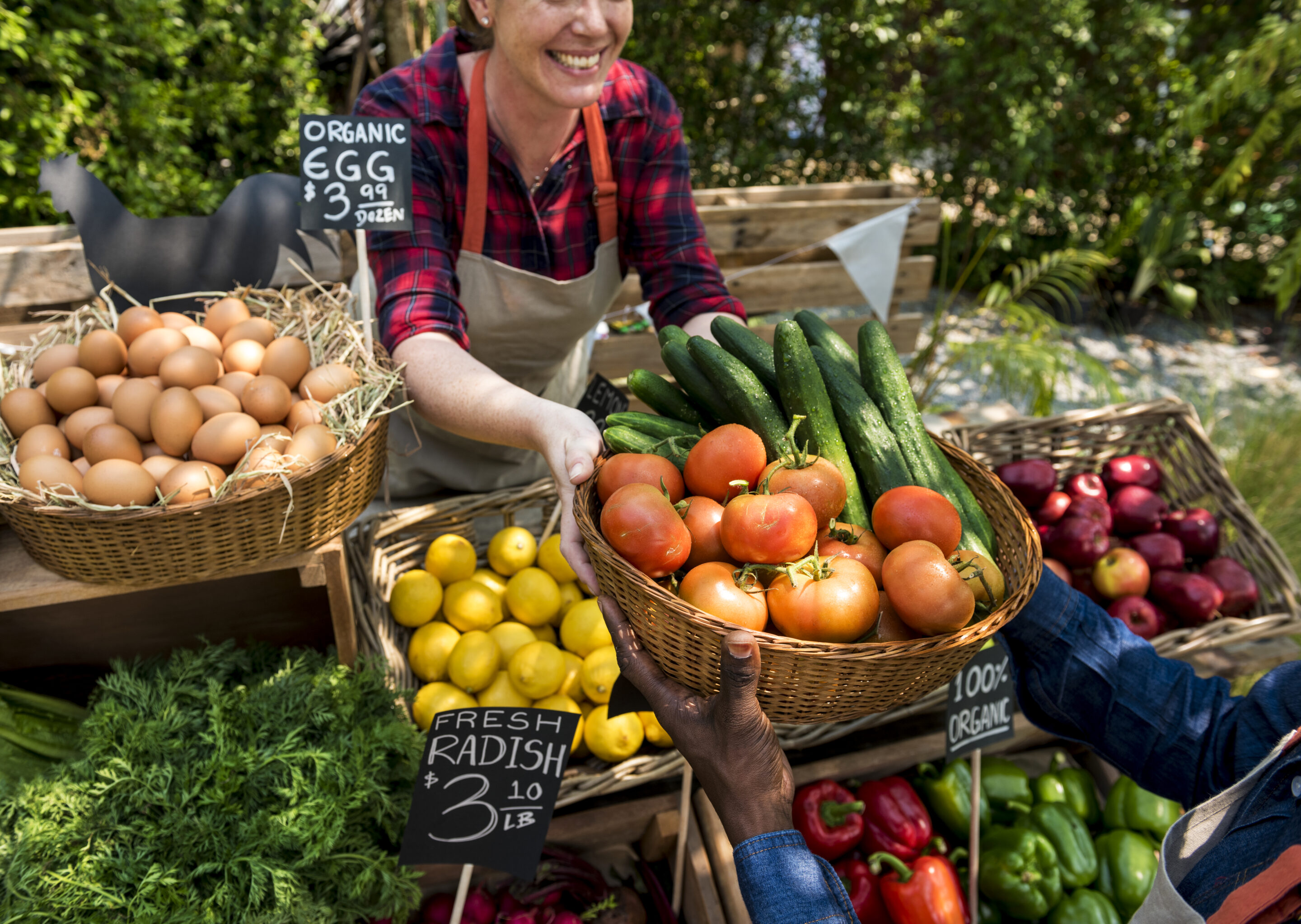
Vendor markets bring local makers and small businesses together in one spot to sell their goods. They work as a seasonal pop-up or a monthly fair, and they can raise money for your group while giving the community a reason to show up. This guide covers how to host a vendor market from the first plan to the final thank you.
What Is a Vendor Market (and Who Can Host One)?
A vendor market is a curated gathering of independent sellers (think artists, bakers, designers, and hobbyists) who set up individual booths or tables to sell their goods. These markets often feature handmade, locally produced, or small-batch products. They’re popular in community centers, school gyms, church parking lots, and even virtual spaces.
So, who can host a vendor market? Practically anyone:
- PTAs and school groups organizing fundraising fairs
- Nonprofits hosting seasonal events
- Neighborhood associations putting together community pop-ups
- Sports teams and clubs looking for unique fundraising options
- Makers and creatives wanting to showcase a network of talent
If you’re someone who regularly rallies people, collects payments, or brings ideas to life for your group, you’re more than qualified to host a vendor market.
Real-Life Inspiration: Buckley Hometown Market
The Buckley Hometown Market, a Cheddar Up Changemakers Award winner, started as a simple idea to support downtown businesses during slow Tuesdays. Over the course of two years, it evolved into a summer staple, complete with local nonprofits, live music, line dancing, and family-friendly fun.
The market drew crowds and boosted weekday sales. When a bridge closure cut off main traffic, it kept shoppers coming downtown. It’s proof that a vendor market can do more than entertain; it can transform a community.
Ready to create a buzzing, can’t-miss event? Here’s everything you need to know about how to host a vendor market from start to finish.
Your Guide to How to Host a Vendor Market
Most successful vendor markets follow the same six steps. Plan the basics early, then recruit vendors and collect their fees online before you start promoting. The last two steps cover event day and what to do after the market closes.

Start With a Solid Plan
First things first: define your event’s purpose. Is it to raise funds? Support small businesses? Create a community moment? Your “why” will help shape the rest of your decisions.
Once you’re clear on that, lock in these key details:
-
Date, time, and location (indoor vs. outdoor)
-
Theme or focus (e.g., handmade goods, food trucks, vintage finds)
-
Budget (venue, permits, promo materials, supplies)
-
Target vendor and shopper audience
Keep permits, insurance, signage, and supplies on one checklist so deadlines don’t slip.

Find and Vet Your Vendors
This step can make or break your event. The right mix of vendors keeps the vibe exciting and diverse.
Wondering how to find vendors for a market? Start with:
-
Social media call-outs
-
Local maker or artist groups
-
Word-of-mouth referrals
-
Past event vendor lists
Once they apply, review their offerings, social presence, and booth setup. A simple vendor application process will help you gather everything you need upfront.
What to include in a vendor application:
-
Business name and description
-
Product type(s)
-
Booth size needs
-
Social media or website links
-
Images of past setups or items
-
Special requests (electricity, wall space, etc.)

Set Up Vendor Registration and Collect Booth Fees Online
Collecting booth fees online saves you time and keeps your records in one place. Vendors fill out one form, pay in the same checkout, and get a receipt automatically.
A good vendor registration setup should:
-
Let you build custom registration forms
-
Accept various payment methods
-
Track who’s paid (and who hasn’t)
-
Send receipts and confirmation emails
Not sure what to ask vendors? Our guide to creating a vendor registration form covers which fields to include and how to set it up.
How to Price Your Booth Fees:
Start with your costs. Add up your venue and promotion budget, divide it across the number of booths you expect to fill, and add your fundraising goal on top.
Many markets charge different rates by booth size or location, with add-ons for extras like electricity or a corner spot. An early-bird rate can help you fill booths sooner.
On Cheddar Up, each booth size or add-on can be its own item, so vendors can choose what they need and pay for it in a single checkout. If your venue requires vendors to sign a liability agreement, add it to the same page with online waivers.

Bonus idea:
Want a head start? Use this Market Vendor Registration Template from Cheddar Up. It’s fully customizable and includes form fields for vendor info, booth selections, and payments. Everything you need to get up and running fast.

Promote Your Vendor Market Like Crazy
You can plan the perfect event, but if no one knows about it… yikes. Start by creating a Facebook event page and inviting your community. Ask your vendors to share graphics or flyers with their own audiences, and consider sending a press release to local blogs or news outlets. Tease the lineup by sharing vendor sneak peeks on social media.
And don’t underestimate the power of offline promotion. Post flyers or signage in areas such as coffee shops, community centers, schools, and libraries, where locals tend to gather. Include QR codes to direct people to your event page with one quick scan. The more touchpoints you create, the more likely you are to draw a crowd.

Run a Smooth Event Day
Event day runs smoother when every vendor knows where to go and when to arrive.
Vendor booth setup tips:
-
Assign spaces in advance (with a map)
-
Allow at least 1-2 hours before opening for setup
-
Have extra extension cords, tape, weights, or tools on hand
You’ll also want volunteers or staff on-site to:
-
Greet and direct vendors
-
Troubleshoot issues
-
Keep the flow moving
Fill volunteer shifts ahead of time with a sign up on the same Collection as your vendor registration.
Bonus idea:
Walk through the event space with your checklist a day or two before to catch any surprises.

Wrap It Up With Gratitude and Insights
After the event, send out thank-yous to vendors and volunteers. Ask for feedback while the experience is fresh—what worked, what didn’t, what to improve next time.
And, of course, track vendor sales (if possible), attendance, and any other key stats. These insights will make your next market even better.
Manage Your Vendor Market With Cheddar Up
Here’s where Cheddar Up comes in.
Think of it as your all-in-one vendor registration platform. You can:
- Build a branded registration page in minutes
- Customize sign up forms and collect booth fees
- Share with a link or QR code
- Accept credit cards, Apple Pay, Google Pay, and eChecks
- Track who signed up and what they paid
- Pull automatic reports for easy bookkeeping
While you’ll be using Cheddar Up to manage your market, it also offers point-of-sale (POS) features that your vendors can use on event day. They can collect in-person payments instantly with unique event codes, no extra hardware or complicated setup required. It’s a helpful bonus to introduce your vendors to a simple, all-in-one tool they might want to use for their own sales, too.
You don’t need coding skills or spreadsheets. Just one simple tool to collect vendor info and payments, communicate event details, and keep everything running smoothly. Want to see how it works first? Watch a demo or join a live learning session.
Frequently Asked Questions
How many vendors should a vendor market have?
The right number of vendors depends on how much space you have. Map out each booth plus walking room for shoppers, then count how many fit. For reference, the Buckley Hometown Market runs with more than 40 vendors and community organizations.
Do I need insurance for a vendor market?
Many venues require the host to carry event liability insurance, so check with your venue and local regulations before you open registration. Some markets also ask vendors to carry their own coverage and collect proof on the vendor application.
What should I do if it rains at an outdoor vendor market?
Choose a rain plan before vendors sign up, like tents, an indoor backup space, or a rain date. Put the plan in your registration details so vendors know what to expect, and message them from Cheddar Up if the forecast changes.
Can I offer free booths to nonprofits or community groups?
Yes, many markets offer free or discounted booths to nonprofits and community groups. It adds variety for shoppers and gives local causes a way to meet the community. On Cheddar Up, add a separate nonprofit booth option at a lower price or no cost.
How can I avoid paying processing fees on vendor payments?
Cheddar Up passes processing fees to the payer by default, so the full booth fee you set goes to your event. You can also choose to cover the fees yourself or let vendors decide.
How much should I charge vendors for a booth?
Set your booth fee by adding up your event costs and fundraising goal, then dividing by the number of booths you expect to fill. Many markets charge more for larger or high-traffic spots and add fees for extras like electricity.

Before you go
Hosting a vendor market starts with filling your booths. Add your booth sizes and fees to the Vendor Registration Template, then post the link with your vendor call-out. Vendors can apply and pay as soon as it goes live.
You may also like:

Booked Authors streamlines school book sales with Cheddar Up
As Executive Director of Booked Authors, Allyson Hickey oversees school book sales tied to author visits across the country. Many of those sales happen at the same time, often with tight timelines and high expectations from schools, PTAs, and families.
For years, the process relied on paper order forms sent home in backpacks, checks returned on uneven schedules, and handwritten personalization details that were not always easy to read. Tracking orders required follow-up, and even small errors created extra work during already busy seasons.
As school book sales grew in volume, the cracks became harder to ignore. Managing multiple author visits and book orders at once left little room for inefficiency. Allyson knew the process needed to support growth without adding more manual work.

How to run a PTA holiday shop (plus a free volunteer template)
The PTA holiday shop is one of those feel-good school traditions that brings smiles and a little seasonal sparkle. Kids pick out gifts for their families on their own, and your school raises money and builds community spirit. As the PTA member running it, you’ll have to make a lot of decisions, like who supplies the inventory, what to price at $1 versus $5, how many volunteers each shift needs, and how kids pay at the register.
This guide walks you through everything you’ll need to host a successful PTA holiday shop, from eight weeks out to cleanup day. You’ll also find a free online volunteer sign up template you can customize and share with your school community. A PTA holiday shop is a pop-up store your parent group runs at school, where students buy small, low-priced gifts for family and friends. Volunteers help kids shop and wrap, and the PTA keeps the proceeds for school programs.

The Best Giving Tuesday Campaigns: A Guide to Success
Giving Tuesday has quickly grown into the world’s largest day of giving. Since its start in 2012, it has spread to over 100 countries, inspiring billions in donations every year. For nonprofits, schools, and community groups, it’s a powerful chance to rally supporters and meet ambitious goals. But not all campaigns achieve the same results. Some stand out, raising impressive amounts and energizing their communities. So, what separates the best Giving Tuesday campaigns from the rest? Let’s break down the traits of successful campaigns and how you can apply them to your own efforts.

Holiday Wreath Fundraiser Tips for Merry Success
A holiday wreath fundraiser is a festive, low-risk way for schools, PTAs, sports teams, and nonprofits to raise money during the winter season. With a little planning and the right online fundraising platform, you can turn a wreath sale into a joyful, community-powered fundraising success.
This guide covers the full Christmas wreath sale, from picking products and a supplier to running pickup day, plus how to add Christmas trees to the same sale without setting up a tree lot.
Ready to set things up now? Start with the holiday wreath fundraiser template and add your own products and prices.
The best Christmas wreath fundraising ideas give supporters a few clear choices at different price points. A classic wreath covers most buyers, and one or two upgraded options bring in larger orders from those who want a more elaborate wreath.
Tags: